# Download Acknowledgement Receipt

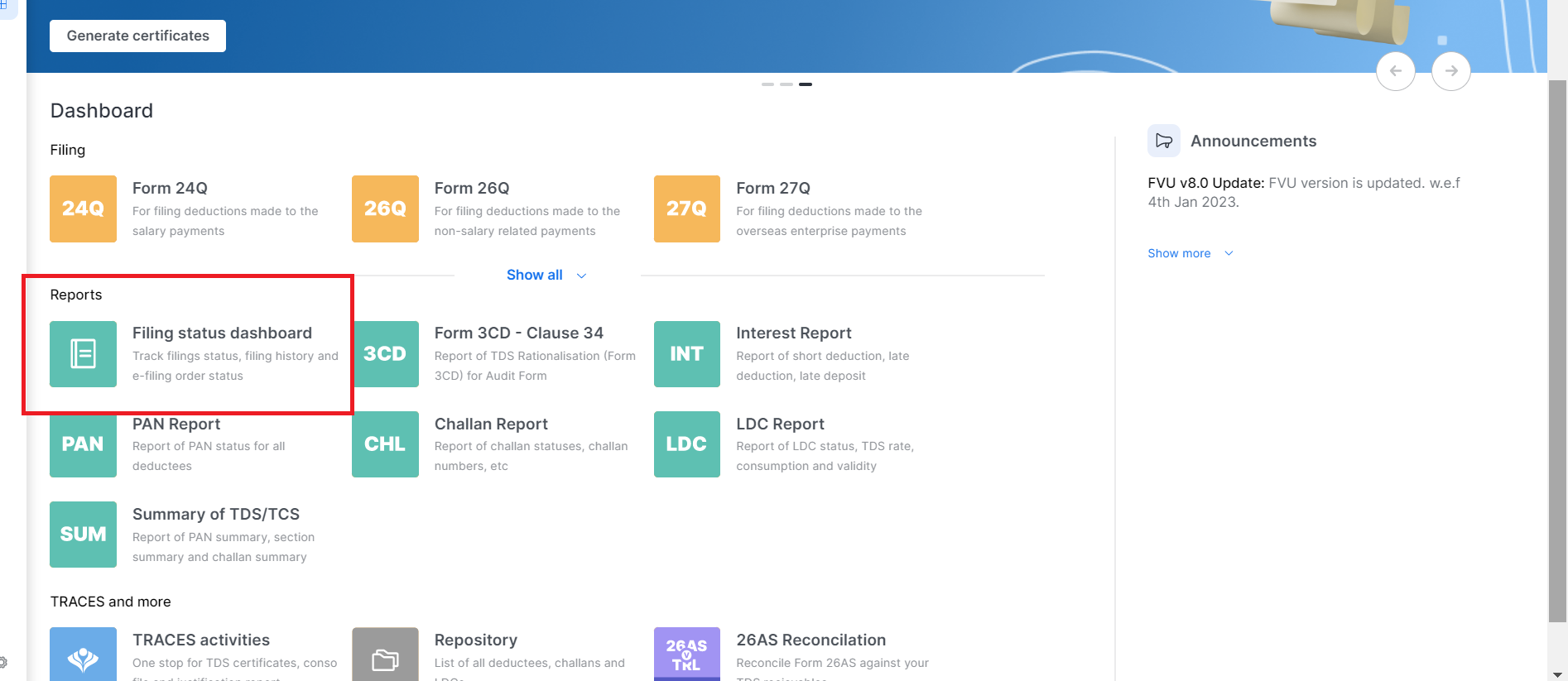
## **Step 1: You will go to the section titled Filing status dashboard”**

<figure><img src="https://1228935104-files.gitbook.io/~/files/v0/b/gitbook-x-prod.appspot.com/o/spaces%2F-MZESjKfghy4dwB5DEJ1%2Fuploads%2F3DsPfia0113GtuqBN8jd%2FScreenshot%202023-03-19%20141753.png?alt=media&#x26;token=4bcef9ce-0d32-4b9a-84c4-058ef2136ff1" alt=""><figcaption></figcaption></figure>

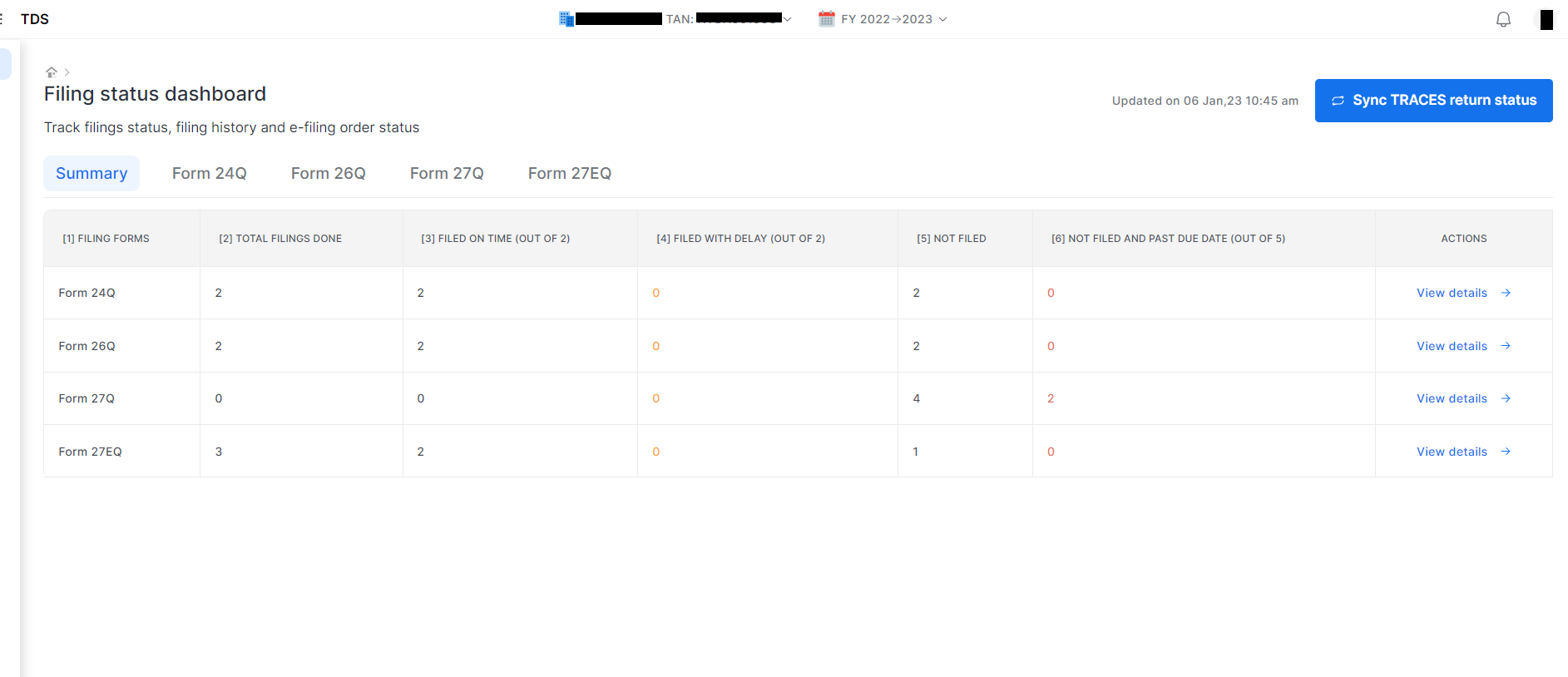
## **Step: 2 Then you can click on “Filing status Dashboard”.** Choose Deductor and Return period, A Dashboard will open from there You will choose for which form and quarter you want to download the receipt.&#x20;

<figure><img src="https://1228935104-files.gitbook.io/~/files/v0/b/gitbook-x-prod.appspot.com/o/spaces%2F-MZESjKfghy4dwB5DEJ1%2Fuploads%2FugPJq9CnVgDqqlbBu7v5%2F1.png?alt=media&#x26;token=9f1420a4-551e-4ec5-aa75-9153ae3bd48c" alt=""><figcaption></figcaption></figure>

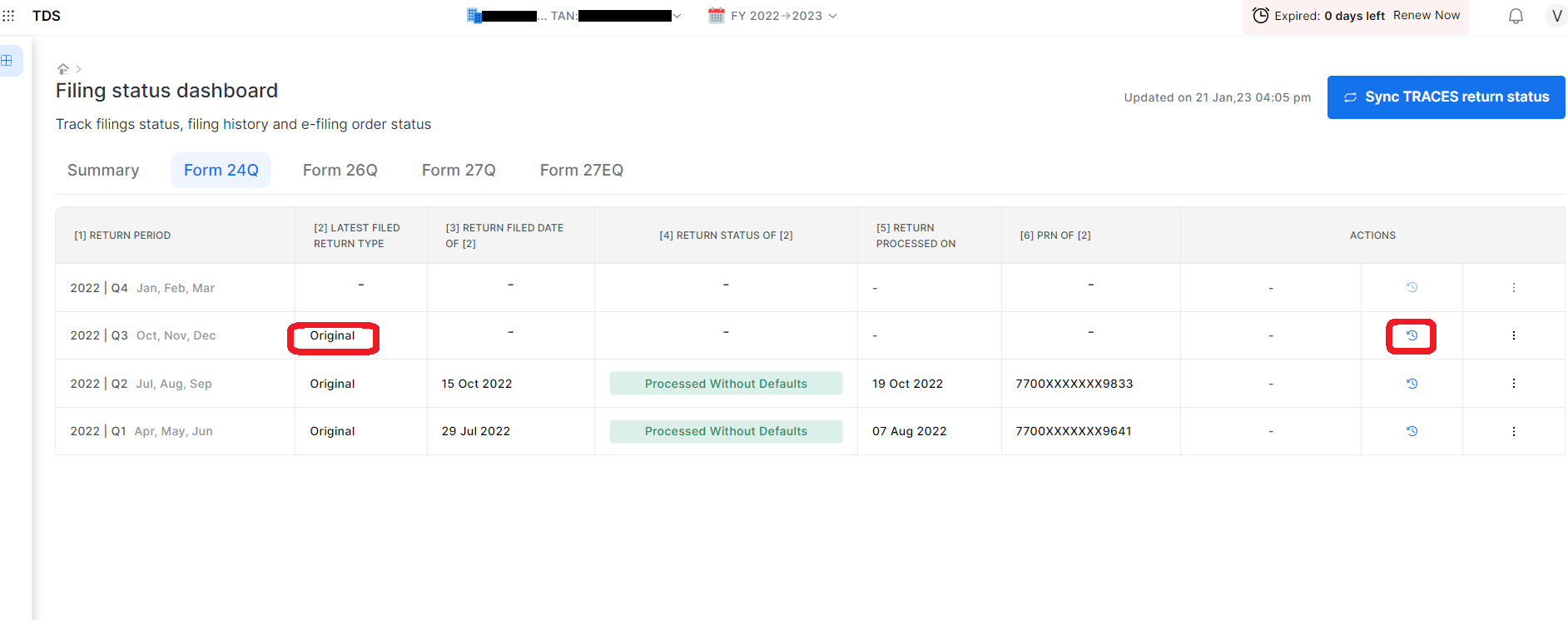
## **Step 3: Status will be shown either original or correction and then click on on action Tab**

<figure><img src="https://1228935104-files.gitbook.io/~/files/v0/b/gitbook-x-prod.appspot.com/o/spaces%2F-MZESjKfghy4dwB5DEJ1%2Fuploads%2FXRAl0sBrpMy6X88abF4L%2FScreenshot%202023-01-22%20183022.png?alt=media&#x26;token=e432f77b-9dc7-4b83-a333-a43a565b1dfe" alt=""><figcaption></figcaption></figure>

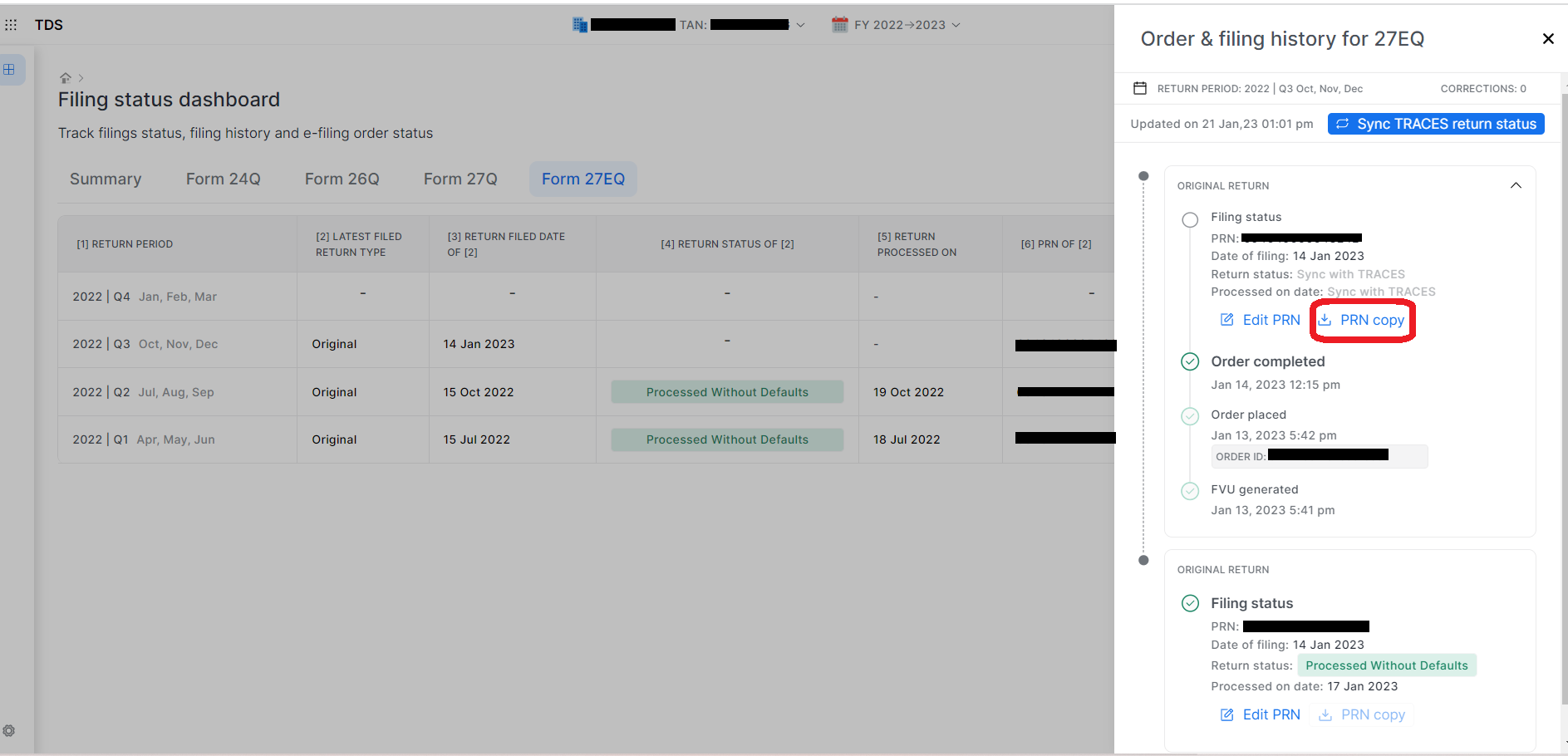
## Step 4:Download Acknowledgement.

<figure><img src="https://1228935104-files.gitbook.io/~/files/v0/b/gitbook-x-prod.appspot.com/o/spaces%2F-MZESjKfghy4dwB5DEJ1%2Fuploads%2FCoWJhvRBAon5gRzJxZyH%2F3.png?alt=media&#x26;token=ba5a9cb8-b3ee-428a-9dc1-71ce72142d01" alt=""><figcaption></figcaption></figure>

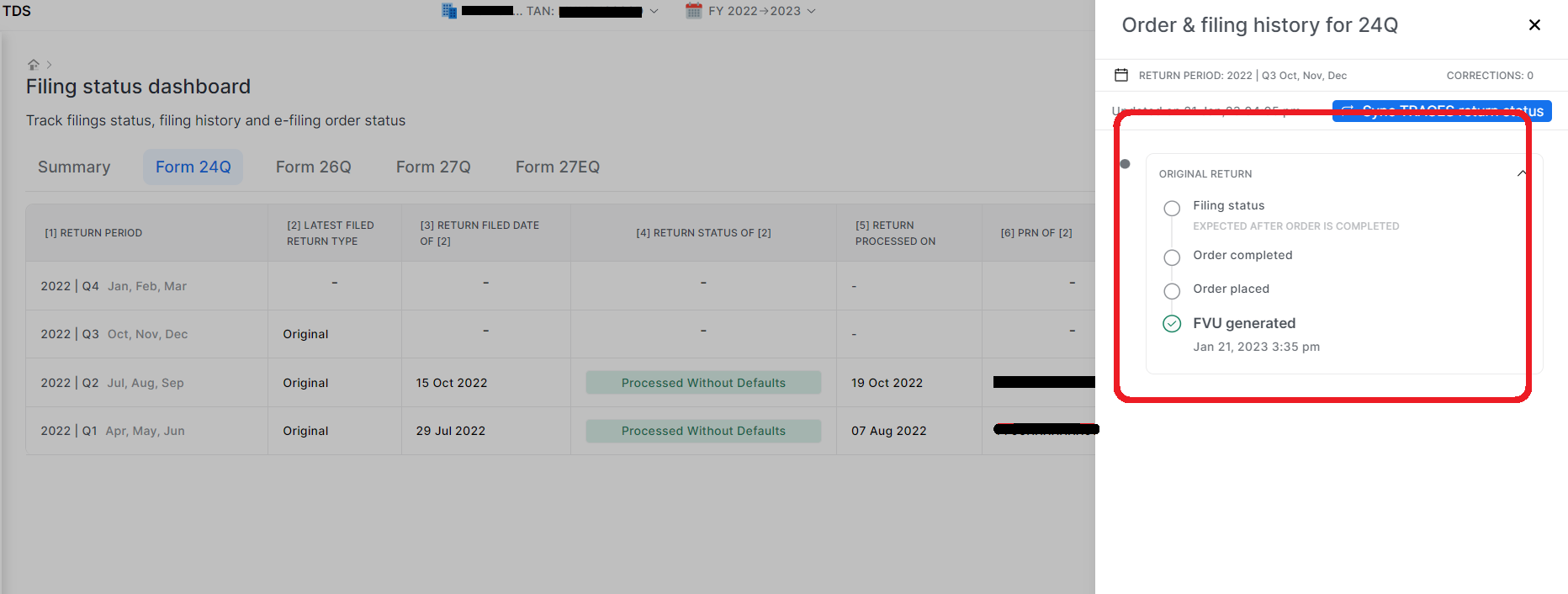
## Step 5:Once your status reaches Filing status you can download your Receipt.

<figure><img src="https://1228935104-files.gitbook.io/~/files/v0/b/gitbook-x-prod.appspot.com/o/spaces%2F-MZESjKfghy4dwB5DEJ1%2Fuploads%2FwFFQxE6JhN4o5Uq4hMuX%2F4.png?alt=media&#x26;token=9f9dc1ac-dd0e-43f5-bd89-515e5b884c76" alt=""><figcaption></figcaption></figure>

{% hint style="info" %}
There are 4 status for your return that your have filed through this platform.

1st FVU Generated

2nd order placed

3rd order completed

4th Filing Status

Once your status reaches Filing status you can download your Receipt.

<br>
{% endhint %}

\ <br>